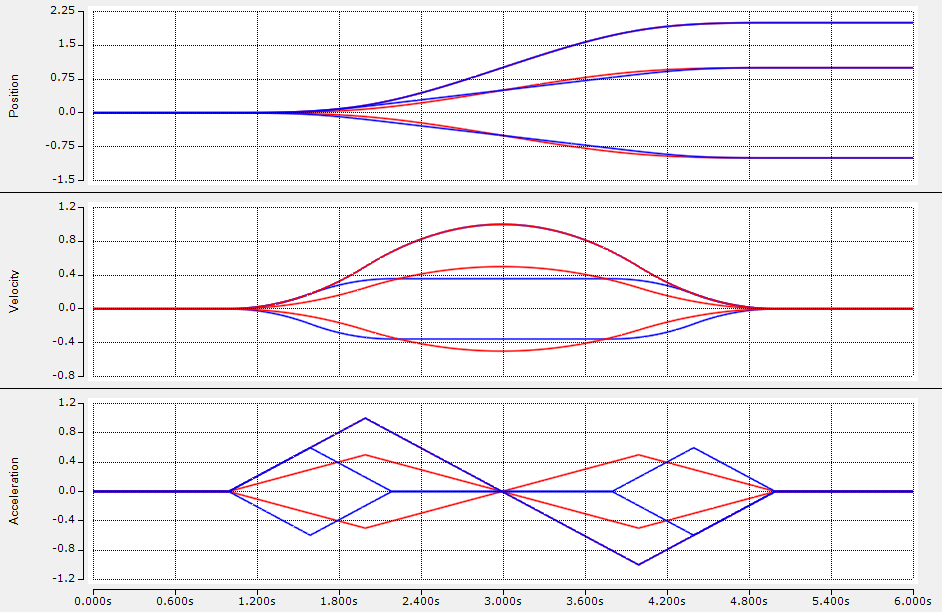
Synchronized trajectory
For multiple DoFs, synchronization determines how axes arrive at the target.
Time synchronization
All axes start and finish together, but can follow different geometric progress along the path.
otgTimeSync : Struckig.Otg(cycletime := 0.001, dofs := 3) := (
  EnableAutoPropagate := TRUE,
  Synchronization := Struckig.SynchronizationType.TimeSync,
  CurrentPosition := [0.0, 0.0, 0.0],
  TargetPosition :=  [1.0, -1.0, 2.0],
  MaxVelocity :=     [1.0, 1.0, 1.0],
  MaxAcceleration := [1.0, 1.0, 1.0],
  MaxJerk :=         [1.0, 1.0, 1.0]
);
Phase synchronization
Axes maintain a shared phase relation over time, which is useful for coordinated Cartesian motion.
otgPhaseSync : Struckig.Otg(cycletime := 0.001, dofs := 3) := (
  EnableAutoPropagate := TRUE,
  Synchronization := Struckig.SynchronizationType.Phase,
  CurrentPosition := [0.0, 0.0, 0.0],
  TargetPosition :=  [1.0, -1.0, 2.0],
  MaxVelocity :=     [1.0, 1.0, 1.0],
  MaxAcceleration := [1.0, 1.0, 1.0],
  MaxJerk :=         [1.0, 1.0, 1.0]
);
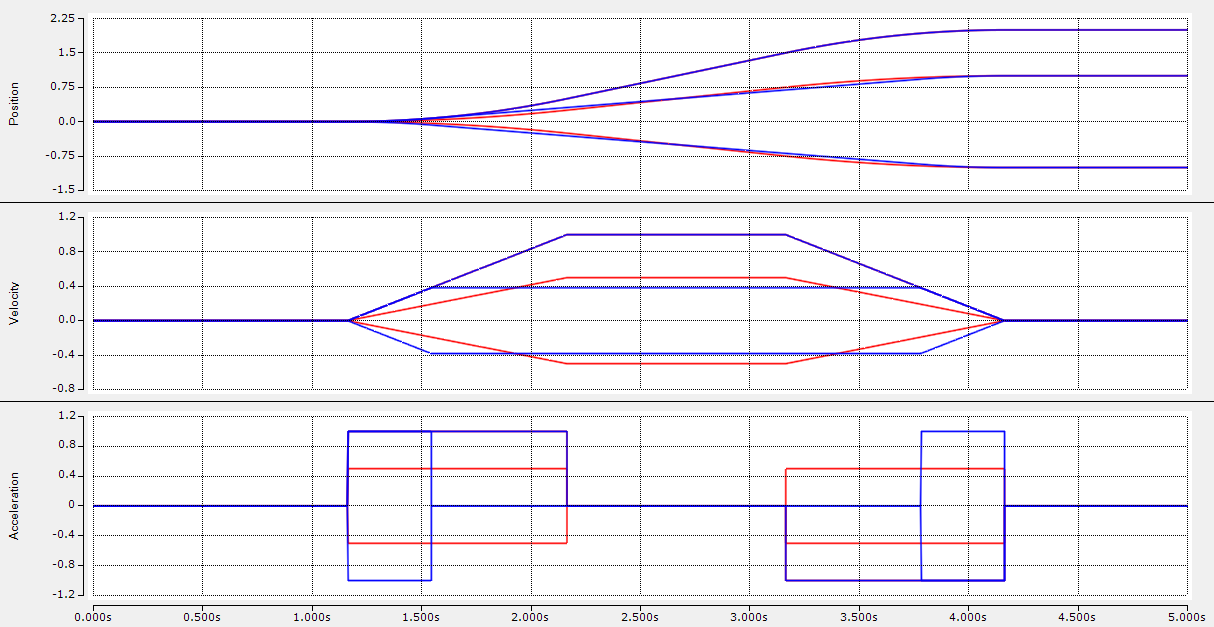
Second-order profile (optional)
If you leave MaxJerk at default infinity values, Struckig computes an acceleration-limited profile.
Tip
For path-following machines, Phase is usually the better default. For independent coordinated arrivals, use TimeSync.